
Next Spaceflight
NASASpaceflight LLCNews & Magazines
4.82.27K Reviews
- Version
- 4.3.0
- Installs
- 500.00K
- Age Rating
- Everyone 10+
Screenshots
Our Review of Next Spaceflight
 Analysis by Appyee
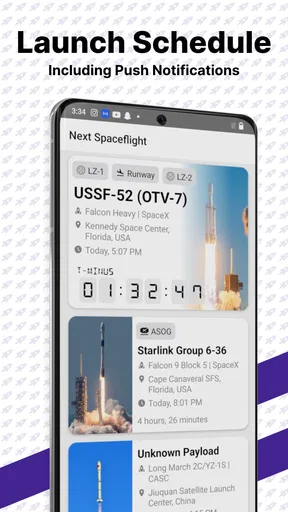
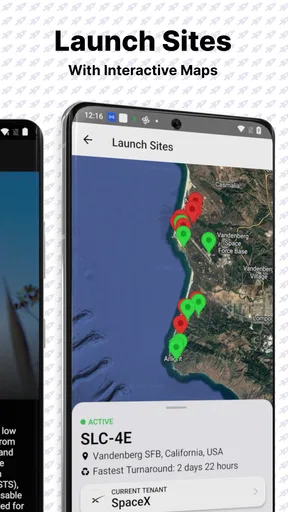
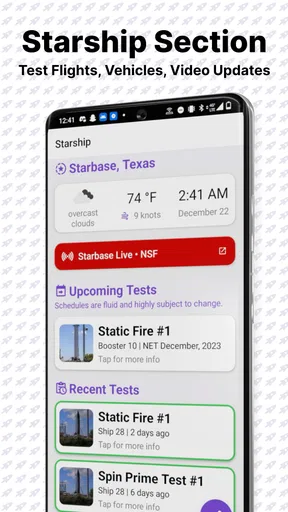
I installed Next Spaceflight because launch schedules are easy to follow badly. A search engine can find a launch article, a social feed can surface a dramatic clip, and a calendar can hold a reminder, but none of those tools is built around the changing rhythm of rockets. This free News & Magazines app from NASASpaceflight LLC takes a more focused approach: it puts upcoming missions and launch information at the center, covering SpaceX, NASA, ULA, Starship, ISRO, Roscosmos, and other providers in one place.
My first impression was that it feels more like a practical reference tool than a general news reader. That distinction matters. I would not open it expecting long-form reporting, a broad science magazine, or a social community. I would open it when I want to know what is scheduled, what is approaching, and whether a launch I care about has moved. For anyone who follows spaceflight regularly, that narrow purpose is its main advantage.
How the app behaves when the network matters
The most important part of the experience is also the part most affected by connectivity. A launch schedule is living information: times shift, missions slip, and planned events can change as vehicles, weather, range availability, or technical work alter the plan. That means the app is at its best when it can load current information rather than relying on an old screen left open from an earlier visit.
I found myself using it in two different ways. Sometimes I opened it casually at home to scan the next several missions. At other times I checked it with a very specific question in mind, such as whether a Starship event was still expected in the same general window or whether a mission from another agency had appeared on the horizon. The first use is relaxed browsing; the second is closer to checking a timetable. Both benefit from a connection, but the second makes stale information more frustrating.
This is not a criticism unique to this app. It is a consequence of the subject. A static article can remain useful for background reading even when you are temporarily disconnected. A launch schedule cannot offer the same confidence if the information has changed since the last refresh. I therefore treat the app as a connected dashboard rather than a permanent offline reference. Before leaving for a launch-watching event or a trip, I would check the relevant mission while connected instead of assuming that an earlier view will remain current.
The focused design also changes how connectivity feels. You are not constantly downloading a large stream of unrelated material. You open the app with a clear reason, inspect the schedule, and leave. For a person who checks spaceflight several times a day, that makes the network relationship feel purposeful rather than distracting. The app does not need to compete with a general news feed to be useful.
Following a launch from a moving day
The strongest everyday scenario is a busy day when I do not want to search through separate websites. Imagine commuting, working, or looking after family while a mission you care about is approaching. I can open the app during a short break, scan the schedule, and decide whether the event still deserves a reminder or a dedicated viewing plan. That is more efficient than searching the launch provider, checking a news site, and comparing conflicting time references.
It is especially useful for people who follow several organizations at once. SpaceX and NASA may dominate a personal watchlist, but launches from ULA, ISRO, Roscosmos, and other groups can otherwise be easy to overlook. Bringing those providers into one launch-focused destination reduces the mental work of remembering where each mission is usually announced.
There is a trade-off, though. A schedule can tell me what is expected, but it is not automatically the same as a full explanation of why a mission matters. If I want engineering context, mission history, scientific objectives, or a detailed account of a delay, I may still move to specialist reporting or the provider’s own communication channels. I see Next Spaceflight as the place where I orient myself first, not necessarily the final source for every question.
Mobile use: quick checks rather than long sessions
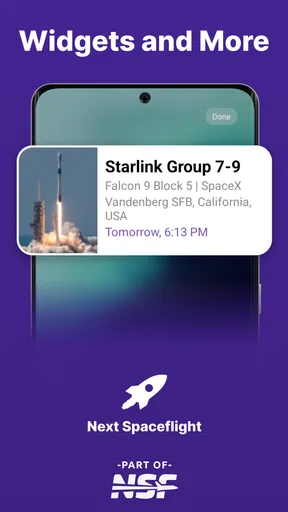
On a phone, the app makes the most sense in short sessions. Its subject naturally encourages quick checks: what is next, which provider is involved, and whether a date or time has changed. I would use it while waiting for an appointment, between tasks, or just before opening a livestream elsewhere. That lightweight habit is more realistic than expecting the app to replace every spaceflight resource.
The compact format is also helpful when I am already juggling other information. A launch day often involves a stream, a weather update, a mission page, and messages from other enthusiasts. A dedicated schedule app gives me one stable starting point. I can check the timetable first, then decide which additional source deserves my attention.
Connectivity becomes more complicated on mobile networks. If I am in a weak-signal area, underground, or moving between coverage zones, I would not use a brief loading problem as proof that a mission has disappeared or been canceled. I would retry when the connection improves and, for an important launch, cross-check with an official source or live coverage. That habit is not excessive caution; launch timing is too changeable for a single failed refresh to settle the question.
For travelers, the app is useful before departure and during connected stops, but I would not build an entire launch-viewing plan around having uninterrupted access. A person who needs guaranteed information in remote areas should prepare by checking the schedule ahead of time and keeping another trusted source available. The app is convenient in normal mobile conditions, yet convenience should not be confused with a promise of continuous availability.
What happens when a refresh fails
Any app centered on changing events needs a sensible recovery habit. When a page does not load or a schedule appears slow to update, my first step is simple: wait briefly, retry, and check whether the rest of the phone’s connection is working. If other apps are also struggling, the issue is probably the network rather than the launch information itself.
If the connection works elsewhere but the schedule still seems unavailable, I would close and reopen the app before making a conclusion. I would also avoid repeatedly tapping refresh in a hurry, because that only creates confusion about which view is newest. For a mission that matters to me, I would compare the app with the launch provider or a specialist live report. That gives me a recovery path instead of leaving me stuck between an old schedule and an uncertain update.
This is one of the app’s limitations from a user’s point of view: a schedule is only as reassuring as the freshness of the information I can retrieve. The app is excellent for organizing my attention, but it cannot remove the uncertainty inherent in launch operations. Even with a good connection, planned times can move. I appreciate the app more when I use it as a clear guide to what is expected, not as a guarantee that every event will happen exactly as listed.
There is also a practical distinction between a temporary loading failure and a genuine schedule change. A missing screen or delayed response is a technical problem; a changed launch window is an information update. I would not treat them the same. That mindset is particularly important for newcomers, who may assume that a timetable is fixed in the way a cinema listing or train schedule sometimes appears to be.
Using it without wasting attention or data
For data-conscious users, the best workflow is deliberate rather than constant. I would open the app when I actually want to review missions, read the schedule with a purpose, and avoid leaving it running while doing unrelated tasks. Since the app’s value is concentrated in launch information, there is little reason to turn every spare moment into an endless browsing session.
I also prefer checking a group of missions at once rather than repeatedly opening the app for the same event. A morning review can help me identify what deserves attention that day, while a later check can confirm whether anything important has shifted. This reduces unnecessary interruptions and makes the app feel like a planning tool instead of a source of notification anxiety.
Another useful habit is separating schedule checking from video watching. If I want to watch a launch, I can use Next Spaceflight to establish the expected timing, then move to an appropriate livestream or official coverage source. That keeps the schedule app focused and avoids treating it as though it must provide every part of the viewing experience.
The free price makes trying this workflow easy, especially for a curious reader who does not yet know whether a dedicated launch calendar will become part of a routine. Still, free does not mean frictionless in every situation. The app depends on the quality and freshness of information reaching the device, and a user with limited connectivity should plan around that reality rather than expecting a permanently available timetable.
Who will get the most from it
I recommend it most strongly to people who follow multiple launch providers and want a single place to begin. It is also a good fit for students, amateur astronomers, space enthusiasts, and families who enjoy planning a launch viewing without memorizing which organization handles each mission. The broad provider coverage gives it more value than a tool built around only one company.
The app is also helpful for casual followers who keep missing launches. Instead of relying on a headline appearing at the right moment, they can make a habit of checking the schedule during the week. That small change turns spaceflight from something discovered accidentally into something easier to follow intentionally.
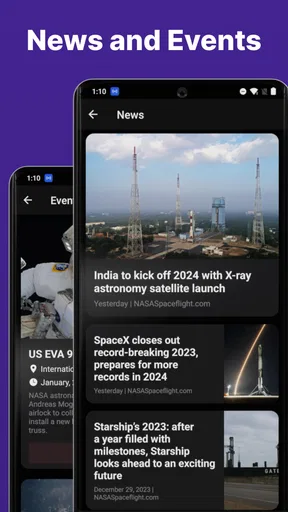
I would be more cautious recommending it to someone who wants deep editorial coverage in the same app. If your main interest is long analysis, mission history, interviews, or detailed technical explanation, a specialist publication may be a better primary choice. Next Spaceflight can point you toward what is happening, but a schedule-first experience is not a substitute for every kind of reporting.
It may also be the wrong choice for a reader who rarely follows launches and only wants occasional general science news. The app’s specialization is its strength, but that same focus can feel narrow if rockets are only a minor interest. In that case, a broad news application may provide more variety with fewer separate tools.
What the current release means for daily use
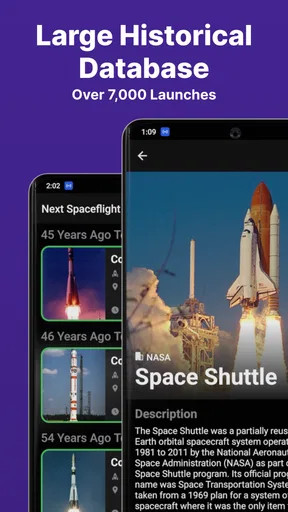
The app has been available since November 12, 2017, and the current release is version 4.3.0. That history gives it the feel of an established utility rather than a brand-new experiment. It is listed for devices running Android 6.0 or later, which makes the compatibility requirement relatively approachable for people using older supported phones.
Its audience is reflected in the store’s Everyone 10+ content rating. I would still explain the subject to younger children, not because the app is built around mature material, but because launch schedules can include technical terms and mission details that are easier to appreciate with some context.
The app’s reception is also encouraging: it holds a 4.8 average from around seventeen thousand ratings, with roughly two thousand three hundred written reviews, and has passed five hundred thousand installs. Those figures do not guarantee that every phone or every user will have the same experience, but they suggest that the focused concept has found a substantial audience among people who want launch information close at hand.
I would not choose it solely because of those figures. The better reason is that the app solves a specific problem cleanly: keeping track of a changing spaceflight schedule across several providers. If that is a problem I actually have, its focused design matters more than popularity.
My connectivity verdict
After using it as a schedule companion, I see Next Spaceflight as a practical mobile reference for people who want to stay oriented without assembling their own system of bookmarks, calendars, and provider pages. Its best moments happen when I have a connection, a quick question, and several missions to compare. It helps me decide what deserves further attention, especially on a crowded launch calendar.
The main caution is straightforward: do not treat it as an infallible offline timetable or as the only source for a high-stakes launch plan. Check important events while connected, retry calmly when a refresh fails, and use official or specialist coverage when a delay or cancellation matters. That small amount of discipline fits the app well because spaceflight itself is dynamic.
For me, the balance is favorable. The free app is focused, broad enough to cover the major providers I follow, and convenient during ordinary mobile use. I would skip it only if I wanted a general news reader or deep reporting in one place. If my goal is to know what is launching, when to pay attention, and where to begin my research, this is one of the more useful tools I would keep on my phone.
Verdict
Strengths of Next Spaceflight
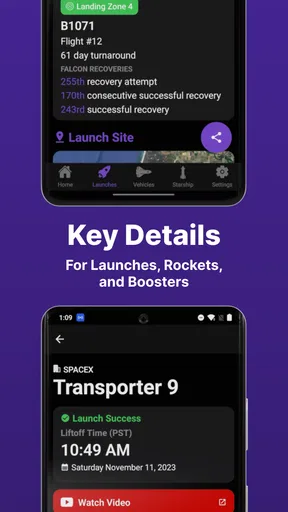
- Detailed launch schedules with dates, times, locations, and mission updates.
- Covers launches from multiple space agencies and private companies worldwide.
- Mission pages include payload details, vehicle information, and launch providers.
- Useful notifications help users track upcoming launches and schedule changes.
- Clean interface makes browsing missions, events, and space news straightforward.
Limitations of Next Spaceflight
- Some launch times can change frequently because schedules depend on weather and readiness.
- The large amount of mission data may feel overwhelming for casual space enthusiasts.
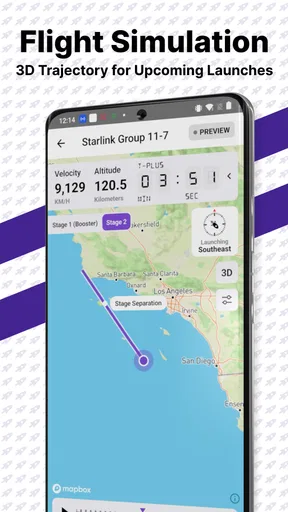
- Certain advanced tracking details may require an internet connection to load properly.
- News and event coverage can vary depending on the mission and available sources.
- Notification settings may need manual adjustment to avoid receiving too many alerts.
Similar Picks in This Category
View All
Google News - Daily Headlines
Google LLC4.0

X
X Corp.4.8

Flipboard:Your Social Magazine
Flipboard3.4

Opera News: breaking & local
Opera4.5

Hindi News by Dainik Bhaskar
Dainik Bhaskar Group4.0

Way2News Daily News App
Way2News ( Formerly Way2SMS )4.6
Frequently Asked Questions
What is Next Spaceflight and what can I use it for?
Next Spaceflight is an astronomy and spaceflight tracking app designed for people who want to follow upcoming rocket launches, missions, and related space events. After exploring the app, I found it useful for checking launch dates, mission details, countdowns, locations, providers, and status updates in one place. It is suitable for beginners who enjoy space news as well as enthusiasts who want a more organized launch calendar.
Does Next Spaceflight provide accurate and regularly updated launch information?
The app is built around launch schedules and mission updates, so its usefulness depends heavily on how current the information is. Launch dates can change because of weather, technical problems, range restrictions, or other circumstances. Next Spaceflight generally presents schedule changes and mission statuses clearly, but users should still remember that launch times are not guaranteed. For critical planning, checking official launch-provider announcements is recommended.
Can I watch launches or receive notifications through Next Spaceflight?
Next Spaceflight can help you keep track of launch opportunities and may provide reminders or notifications for selected missions, depending on your device settings and the app version. It is particularly convenient when you do not want to monitor a launch calendar manually. However, notification timing and live coverage can vary, and the app should not be treated as a complete replacement for official livestream pages or broadcaster platforms.
Is Next Spaceflight free to download, and are there any extra costs?
Next Spaceflight is generally available as a free download, allowing users to browse launch schedules and mission information without paying an entry fee. Some versions or platforms may include advertising, optional premium features, or other in-app purchase arrangements, so it is worth reviewing the store listing before installing. Availability of specific features can also differ between Android and iOS and may change with future updates.
Is Next Spaceflight easy to use for someone who is new to spaceflight?
Yes, the app is approachable for newcomers because its main purpose is straightforward: helping users discover what is launching, when it is scheduled, and which organization is responsible. Mission pages may include technical terms and detailed information that experienced space enthusiasts will appreciate, but beginners can start with the calendar and countdown features. A small amount of spaceflight knowledge may be helpful when interpreting changing statuses or mission abbreviations.
